Guide for Head Chefs#
Running the Community Kitchen: the weekly menu, today's orders, volunteers and shifts, kitchen information and numbers.
A Head Chef runs the Community Kitchen: a pick-up meal program paid from members' wallets. You report to the Program Manager. You sign in with a password and an authenticator code.
What you can do#
- Build the weekly menu with pictures, prices, pick-up times and last times to order.
- Run today: mark orders Ready and Picked up, and close the day.
- Find, onboard and schedule kitchen volunteers.
- Keep the kitchen's information and see its numbers.
You cannot change the kitchen's cost centers or approve discounts. Those belong to the Program Manager (see Program Managers).
Kitchen#
Menu#
- Open Kitchen, Menu. Add an item: a kind (for example salad box), a time of day (breakfast, lunch, dinner or all day), a price, pick-up times, the last time to order, and a picture. You can also set portions, diets and allergens.
- It shows in the week with its picture, price and times. A draft is hidden from members until you Publish.
- Copy this week to next week fills next week with hidden drafts. Copying twice adds nothing. Then press Publish N hidden items to put them on the menu together.
- If you take a published meal that already has orders off the menu, the orders are cancelled and refunded and the people are told.
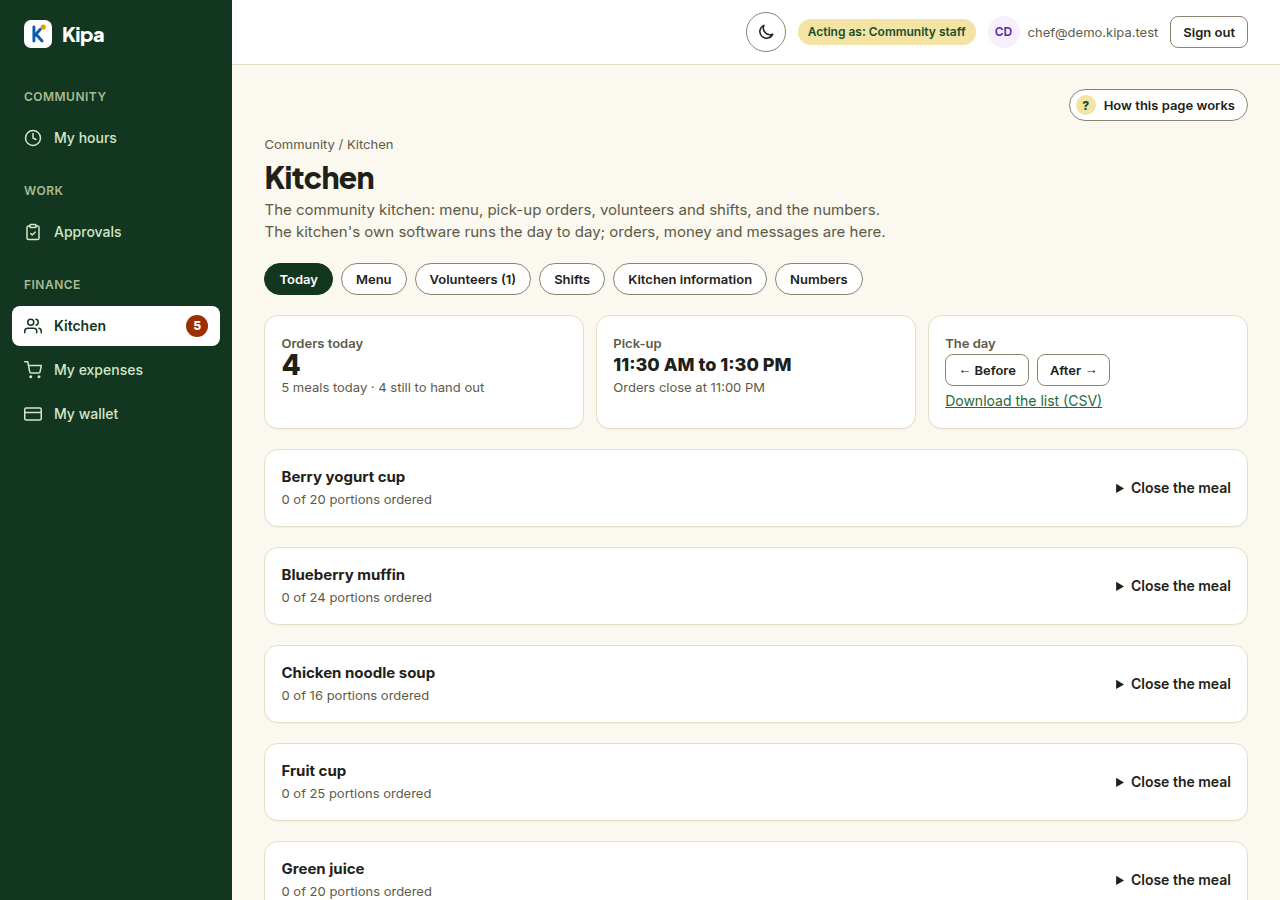
Today#
On Today you see the day's orders.
- Mark an order Ready. The member is told.
- Mark it Picked up when they collect it.
- Close the meal with how many you made and how many were left over. Orders not collected become no-shows (no refund).
- Download the list (CSV): each person, meal, number and code.
Volunteers and shifts#
- Ask for volunteers. Members then see "Volunteer in the kitchen" and can offer to help.
- Onboard a volunteer with the orientation day and a certificate end date. Without the certificate it is refused.
- Shifts. Post a shift, give it to a volunteer, and later mark them Came. The volunteer is told, confirms it under Kitchen volunteering, and gets a day-before reminder.
Kitchen information and numbers#
Fill in the Kitchen information and save. The Program Manager sees it and can mark it reviewed; a later change clears the review. Numbers show meals ordered and picked up, sales, discounts, food left over and volunteer shifts.
If something goes wrong#
| You see | What to do |
|---|---|
| The kitchen will not open for orders | The Program Manager must choose the sales and discount cost centers |
| You cannot open Discounts | Only the Program Manager can |
| A volunteer cannot be onboarded | Add the certificate end date |