Guide for employees#
Today, tickets and My work, logging hours, expense claims and messages for a Kipa employee.
An employee is someone paid by Kipa who works in one community. You sign in with a password and an authenticator code (see Getting started). You land on Today.
What you can do#
- See today's work for your community.
- Pick up, work and finish tickets.
- Log your hours and claim expenses.
- Read and send messages to your team.
Today and My work#
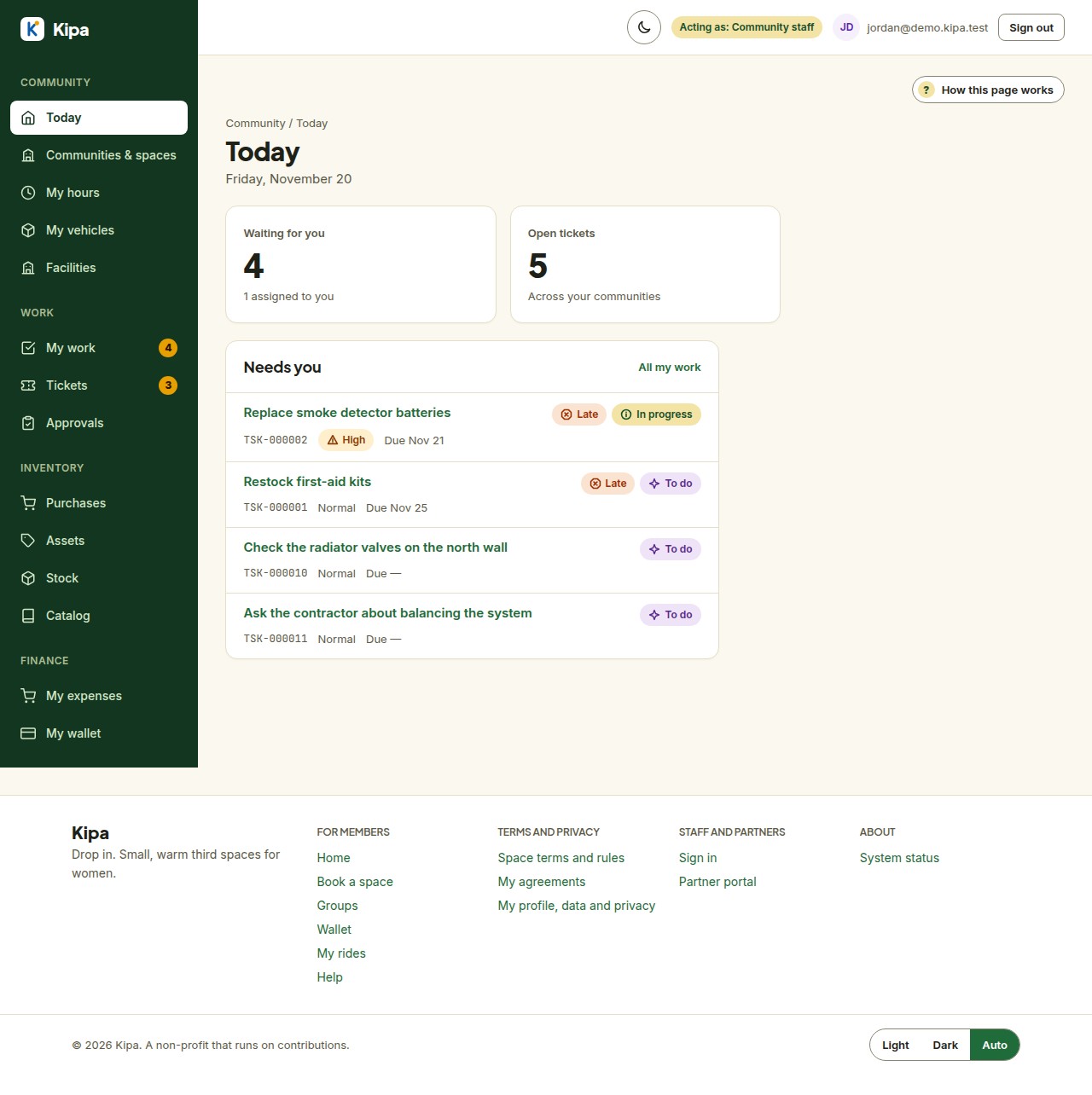
Today shows items for your own community only. My work lists the tickets you picked up.
Tickets#
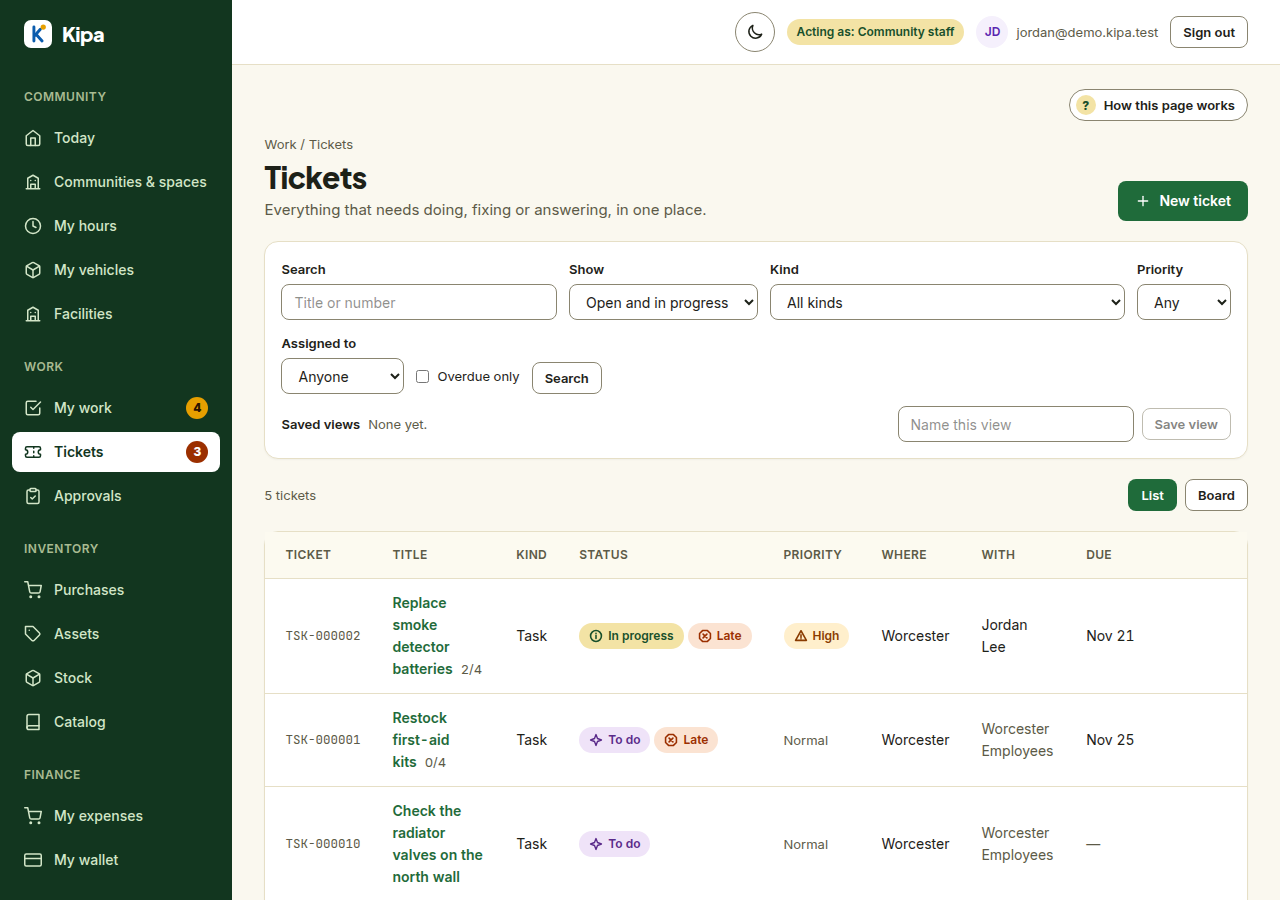
Every piece of work is a ticket with a number. You can:
- Open Tickets and filter by status and priority. Search narrows the list as you type.
- Pick up an unassigned ticket. It moves to My work.
- Change the status to In progress, add a comment, log time, and tick checklist items. Each shows in the ticket's history.
- Mark it Done. The history says who and when, and the person who reported it is told.
- Raise a new ticket for something that needs doing. It gets the next number.
An urgent ticket past its target is marked as late. A ticket can be handed to a partner team, and the partner then sees it under their tickets.
Log your hours#
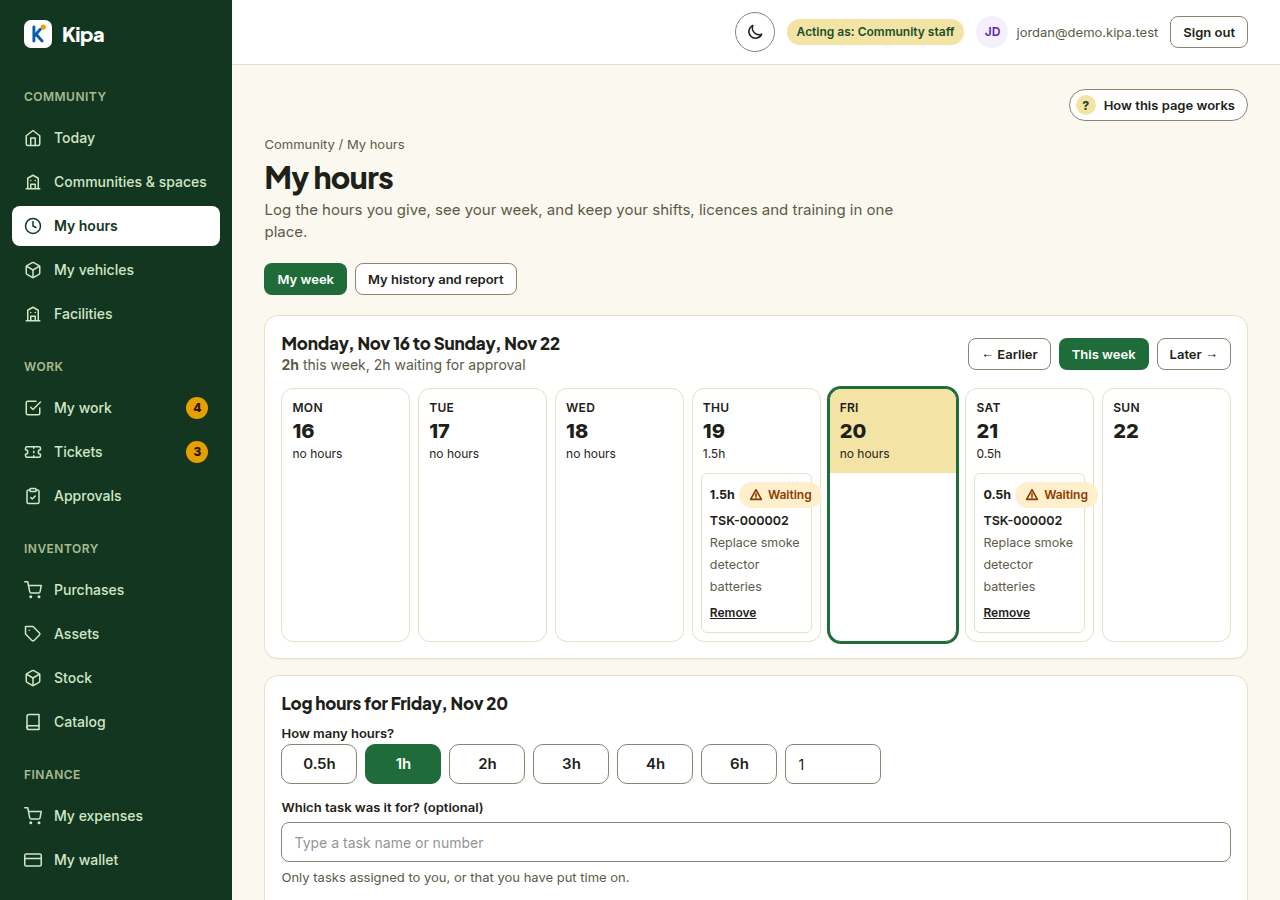
Open My hours, log the hours and they wait for approval. You cannot approve your own hours; someone else must. Approved hours are what the payroll export reads (hours only, never pay rates).
Claim an expense#
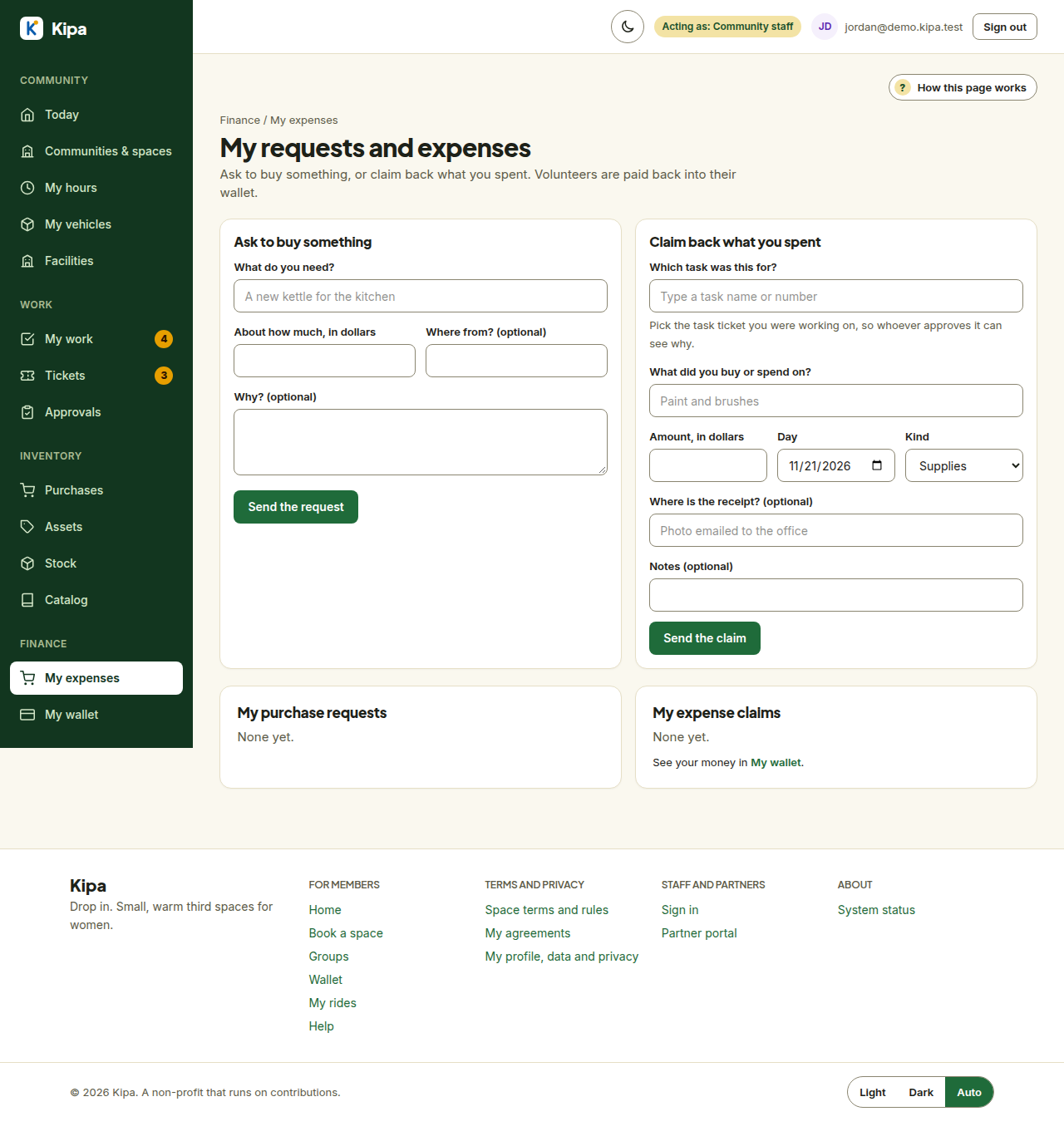
Open My expenses and send a claim with an amount, a short description and receipts (PDF, JPEG, PNG or WebP, up to ten files of 15 MB each). Someone else approves. When approved, the claim says Approved; Finance pays it in the next payment run (employees are not paid into a wallet).
Messages and notifications#
The bell at the top shows your notices. Mark one read or archive it. Messages is for conversations with your team. Staff cannot read a members' group chat.
If something goes wrong#
| You see | What to do |
|---|---|
| "Someone else must approve" | You cannot approve your own work. Ask a colleague |
| A receipt is refused | Use a PDF, JPEG, PNG or WebP under 15 MB |
| You cannot find a page | Your menu only shows what your team may use |