Giving without an account#
How anyone can give to a community's program, get a receipt and a yearly statement, and keep a free account.
You do not need to be a member to give. This guide is for supporters outside the community.
What you can do#
- Find a community and one of its programs and give once or every month.
- Get a receipt by email and a yearly tax statement.
- Pause or stop a monthly gift.
Give a first gift#
- On the sign-in page press the gold Donate to a community button (or the small Donate button in the top corner).
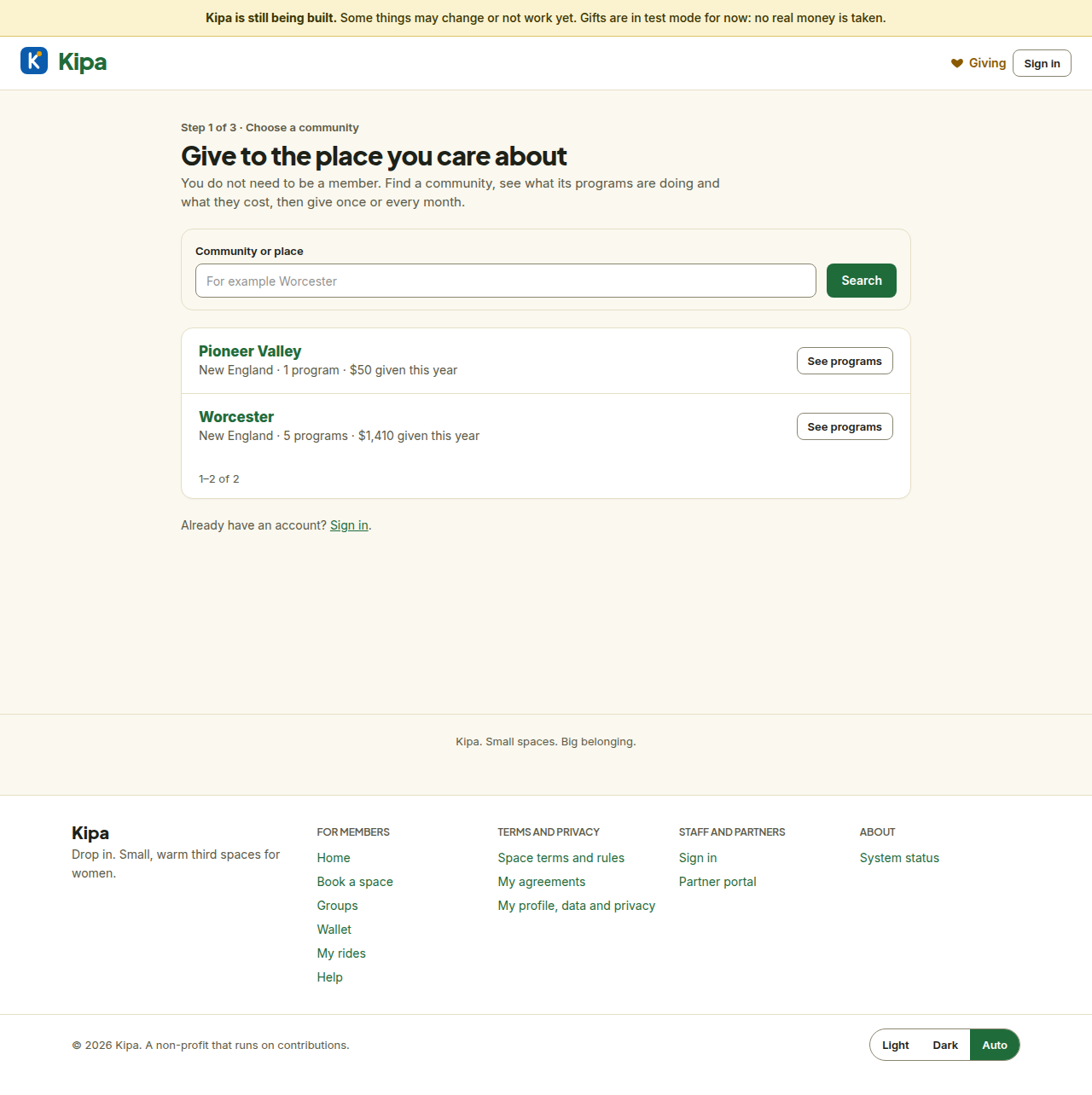
- Step 1 of 3. Find a community. Type part of its name to narrow the list. Your search stays in the address bar, so you can reload.
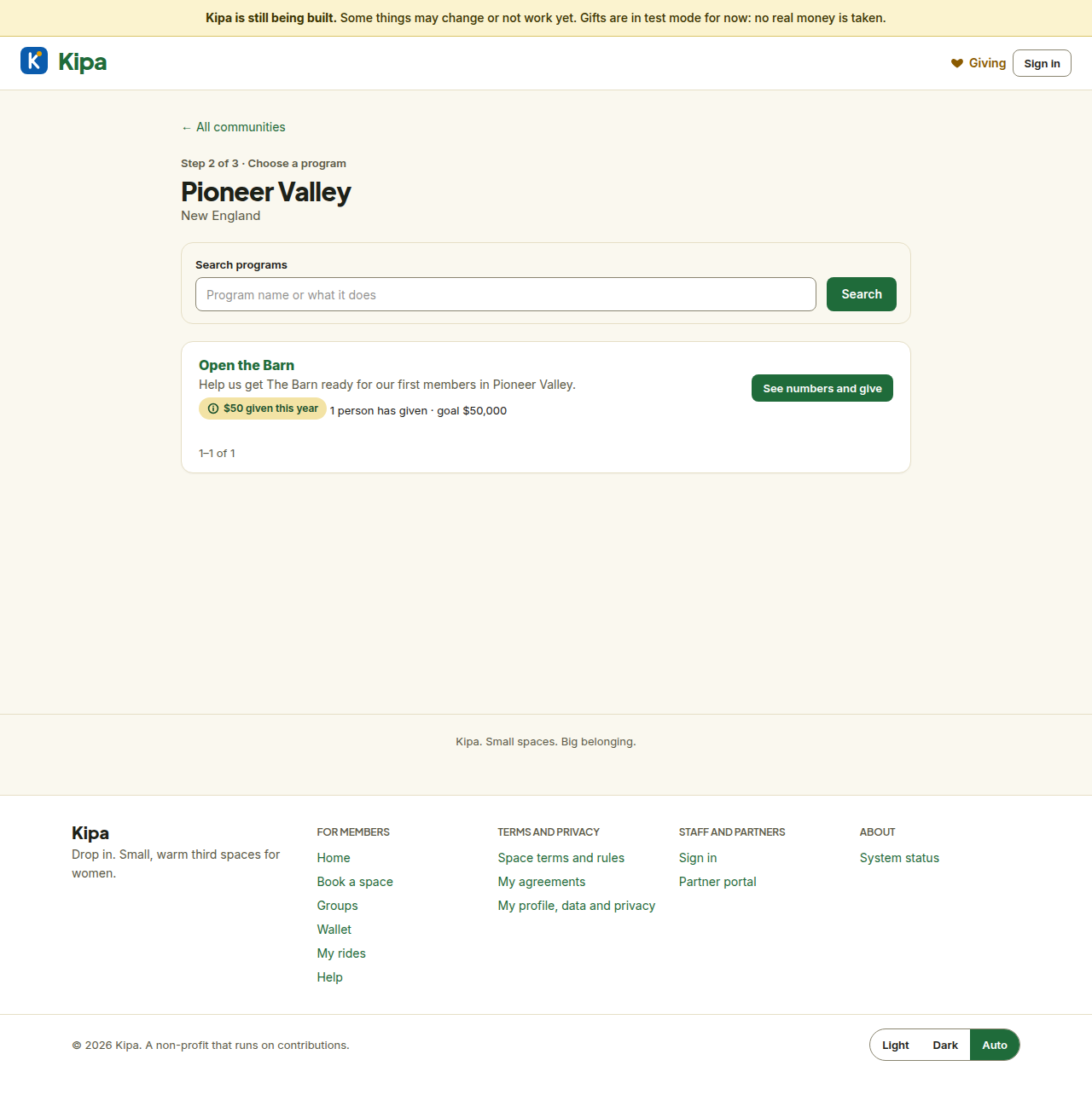
- Step 2 of 3. Open the community. Its programs are listed with their numbers. Only programs that are open for gifts are shown. A "Find a program" box narrows the list.
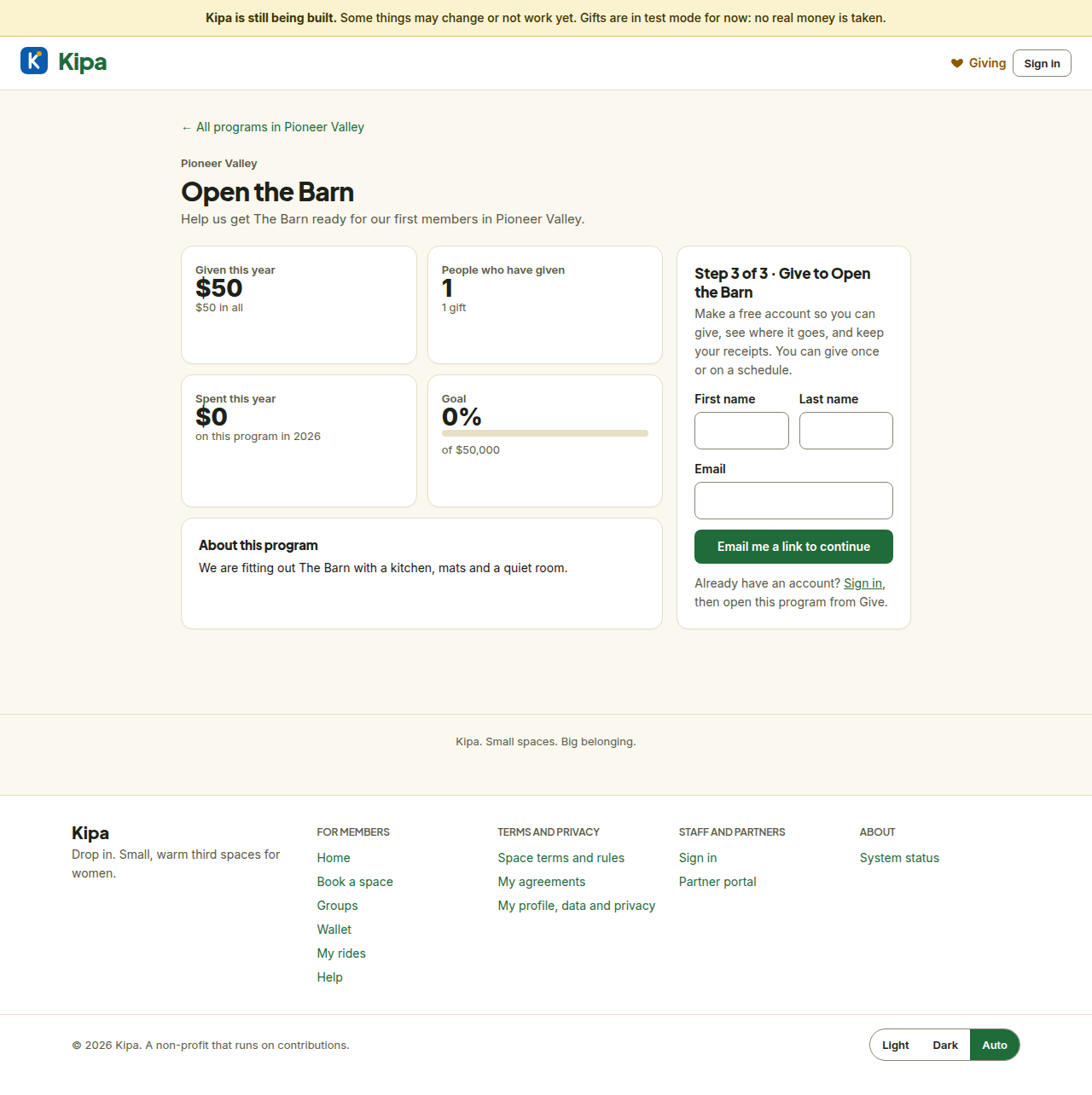
- Step 3 of 3. Open a program. You see the money given this year and in all, how many people gave (a count only, never names), the goal, and what the Community Lead wrote about it. Then type your first name, last name and email.
- Press Email me a link to continue. The page says Check your email.
- In the email "Finish your Kipa account to give", press Finish my account. A page with a Continue button opens; press it, then choose a password.
- You land on that program's give form. Choose an amount between $5 and $10,000, once or every month, and pay with a card.
After you give#
- You see a thank-you. The program's total goes up by your gift and by one more person.
- A receipt arrives by email, with a number.
- My giving lists each gift with its receipt number and program. You can open the yearly tax statement, print it or save it as a PDF, and download a CSV.
- Your account is free and has member screens only. It does not belong to a community, has no agreements to accept, and cannot open staff or admin pages.
Give every month#
Choose Every month on the give form. My repeat gifts shows each one with its next day. You can Pause, Resume or Stop it at any time. If a program closes to gifts, repeat gifts to it pause.
If something goes wrong#
| You see | What to do |
|---|---|
| "Check your email" but no email | Look in spam; ask again, up to three times an hour |
| A program is "not found" | It is hidden or closed to gifts |
| The amount is refused | A gift is $5 to $10,000 |
| You were taken to a sign-in page when you opened a link | Links work once; ask for a new one |